Category: Website Help

  • .com vs .ca for a domain name

    .com vs .ca for a domain name

    Choosing between .com and .ca matters more than many business owners think. The right domain name ending can shape how people see your brand, who trusts it, and what market your website feels built for.

    If your audience is mostly in Canada, a .ca domain often makes the most sense, as .ca has instinctive Canadian recognition. If you want broad reach beyond Canada, a .com domain is usually the safer long-term choice. Many businesses register both and redirect one to the other so they can protect their brand and keep things simple for visitors.

    What is the difference between .com and .ca?

    The main difference is what each domain name ending signals.

    .com is a generic top-level domain. It does not point to one country. It is widely used around the world and tends to feel broad, global, and familiar. 

    .ca is Canada’s country-code top-level domain, also called a ccTLD. It is tied to Canada and sends a strong signal to users, and to search engines, that the site is meant for a Canadian audience. CIRA requires .ca registrants to meet Canadian presence rules.

    What .com tells people

    A .com domain usually feels more universal. It can make sense for:

    • Businesses serving more than one country
    • Brands that want room to grow internationally
    • Companies that want the most familiar and widely recognized ending

    For many people, .com still feels like the default web address. That does not make it better in every case, but it does make it broadly understood.

    What .ca tells people

    A .ca domain tells people your business is Canadian. That can be useful when your visitors care about:

    • Buying from a Canadian company
    • Shipping within Canada
    • Paying in Canadian dollars
    • Supporting Canadian businesses

    This matters even more for e-commerce, service businesses, and local brands. A .ca domain can reduce doubt. It can help a shopper feel that your business is actually in Canada, not just marketing to Canadians from somewhere else. Canadians do notice and value .ca, especially when buying from Canadian businesses.

    Who can register a .ca domain?

    Not everyone can register a .ca domain.

    CIRA requires .ca registrants to meet Canadian Presence Requirements. Common eligible categories include Canadian citizens, permanent residents, legal representatives, Indigenous peoples, corporations under Canadian law, partnerships, trusts, and some trademark holders. 

    That is a real difference from .com, which is a generic extension and is generally open to a much wider global market. 

    Does .ca help with SEO in Canada?

    Yes. A .ca domain can help send a clear Canada signal.

    Google says country-code top-level domains are a strong sign that a site is intended for a specific country. That means a .ca domain can support Canadian targeting from a search perspective, especially when the site content, currency, contact details, and audience also match Canada. 

    That said, a .com domain can still rank very well in Canada. Good Canadian SEO depends on many factors, including your content, backlinks, local relevance, business profile, site quality, and user experience. A .ca domain is helpful, but it is not magic.

    Does .com look more professional?

    Sometimes people think .com looks bigger, more established, or more polished. That reaction is real for some users, but it is not universal.

    In Canada, .ca is common, recognized, and often trusted. .com may feel broader. .ca may feel more local. Neither is automatically better.

    When to use .ca

    Use .ca as your primary domain when your business is mainly for Canadians. This is often the best fit for:

    • Canadian service businesses
    • Canadian e-commerce stores
    • Local businesses
    • Professional firms serving Canadian clients
    • Brands that want to emphasize “Canadian-owned” or “in Canada”

    A .ca domain is often a smart choice when your visitors care where the company is based, where products ship from, and what currency or taxes apply.

    When to use .com

    Use .com as your primary domain when your business is not limited to Canada.

    This is often the best fit for:

    • Businesses with international customers
    • Online brands that want a global feel
    • Companies planning future expansion outside Canada
    • Brands with content meant for a broad audience

    If your growth plan includes the U.S. or other markets, .com may give you more flexibility from the start.

    The best option for many businesses

    For many Canadian businesses, the best move is simple:

    Register both .com and .ca.

    Then choose one as your primary domain and redirect the other to it.

    This helps you:

    • Protect your brand
    • Catch visitors who type the wrong ending
    • Reduce the chance of someone else registering the other version
    • Keep your options open for the future

    This is common advice for a reason. Domain names are usually inexpensive compared with the cost of losing brand traffic or having to buy a domain later from someone else.

    Which one should be primary?

    Here is the practical rule:

    • Choose .ca as primary if your business is mainly Canadian.
    • Choose .com as primary if your business is broader than Canada, or likely will be.

    Examples:

    An Okanagan landscaping company
    Primary: .ca

    A Canadian online store shipping only within Canada
    Primary: .ca

    A digital product brand selling in Canada, the U.S., and beyond
    Primary: .com

    The bigger truth is this: many people do not type full URLs much anymore. They search the business name, click a bookmark, or tap a saved link. That lowers the stakes a bit, but the domain still matters for trust, branding, and clarity.

    Common mistakes to avoid

    One mistake is choosing only on personal taste. The better choice depends on your market.

    Another mistake is buying one version and ignoring the other. If both are available, securing both is often worth it.

    A third mistake is using one domain publicly while setting the other up poorly. Redirects should be clean and consistent so users and search engines always land on the primary version.

    It is also easy to overestimate the SEO impact. Domain ending matters, but it is only one signal among many.

  • I was invited to the Google Canada Business Summit. Here’s what it means for business websites.

    I was invited to the Google Canada Business Summit. Here’s what it means for business websites.

    I was invited to attend the inaugural Google Canada Business Summit. Here’s what I learned and what it means for small business websites.

    I care about what helps a real business get found, match online credibility to in-person credibility, and ultimately win the trust of new customers. That is why the Google Canada Business Summit was worth travelling to Toronto for.

    On February 25 and 26, 2026, I joined an invite-only group of business owners, digital creators, and tech community leaders in Toronto for Google Canada’s first Business Summit. The event was built around AI, digital growth, and the future of small and medium businesses (SMBs) in Canada. I came home with a clearer view of where search, websites, and AI are heading next.

    Why this summit stood out

    A lot of business events are long on buzzwords and short on value. This one was not.

    The summit was structured as a two-day gathering, with a welcome event on February 25 and a technical day on February 26 at Google Canada Headquarters on King Street East in Toronto. Google framed it as a forum for business leaders from across the country to meet, collaborate, take part in AI skilling workshops, and hear from leaders on the future of technology and business.

    Google Canada shared that 71 business leaders and leading community builders were in attendance from 28 cities across Canada. The group included businesses from lifestyle, beauty, home, food, beverage, hospitality, health, wellness, media, education, entertainment, gardening, and agriculture. It was not a narrow tech crowd. It was a real cross-section of Canadian business.

    That matters because the digital changes happening right now are not just for software companies.

    They affect the local bakery.
    The doctor’s office.
    The home service company.
    The vet clinic.
    The farm business.
    The creator.
    The retailer.
    The professional firm.

    They affect the businesses I build websites for every week.

    What Google made clear

    The strongest message of the summit was simple. AI is not some side trend anymore. It is becoming part of everyday business.

    Google Canada has said that generative AI could boost Canada’s economy by $230 billion and save the average Canadian worker more than 175 hours per year. Google has also continued to invest in AI skills and training in Canada through programs, courses, and workforce initiatives aimed at helping people and businesses use these tools in practical ways. 

    Those are big numbers. But the summit did not feel like a grand theory exercise. It felt practical.

    Session by session, the speakers pushed a grounded message. Use AI to save time. Use it to think better. Use it to market better. Use it to learn faster. Use it to remove friction from repetitive work. But do not confuse a tool with a strategy.

    AI can speed up tasks. It can help draft. It can organize. It can summarize. It can brainstorm. It can personalize. It can analyze source material. But it does not replace clear thinking, clear offers, or a clear website.

    In fact, the rise of AI makes digital clarity more important.

    The sessions that mattered most

    The morning sessions centered on how small businesses can use Google AI tools in real work.

    Natasha Walji, Managing Director of Google Customer Solutions Canada, spoke about the shift into an AI era and framed it as one of the most important technology shifts of our time. Her talk tied Google’s long AI history to the current moment, but the part that mattered most for business owners was the practical advice.

    Her message was not “be impressed by AI.” Her message was “start using it.”

    She walked through examples like using Gemini to draft a reply to a difficult customer thread, summarize a long email chain, tailor marketing messages, create assets, and research complex questions with sources attached. She also emphasized a line that stuck with me: Business owners are not competing against AI, they are competing against other business owners who are learning how to use AI well.

    That is blunt. It is also true.

    Laura Pearce, Country Marketing Director at Google Canada, focused on marketing and creativity with AI. Her talk showed how AI can help remove friction from campaign work, asset creation, and content production. But what I found more important was her framing around use cases. Start with a real problem. Do not just throw AI into the business because it is trendy. Solve something specific. Refresh stale website content. Create better product imagery. Have it help you build out ad campaigns faster.

    Sofia Remtulla, Google Cloud AI Specialist, presented on NotebookLM and learning in the age of AI. This was one of the most practical and more technical demos of the day. She showed how a business owner can upload source documents, ask questions against them, get answers with citations, and generate useful outputs like summaries, briefing notes, project justifications, and overviews.

    That direction is important. The future is not just “search something online.” It is increasingly “bring your documents, your data, your notes, your plan, and ask better questions.” You can create your own walled garden inside of a Notebook in NotebookLM to lessen the hallucinations that have plagued earlier versions of LLMs.

    The part that matters most for websites

    This is where the summit connected most directly to the work I do at Duford Digital. For all the AI talk, Google’s advice kept circling back to fundamentals.

    • Own your Google Business Profile.
    • Fill it out properly. Add photos. Collect reviews.
    • Make sure your website loads fast.
    • Answer customer questions clearly.
    • Create rich, useful content.
    • Think about what people are actually searching for.

    That was one of the strongest themes of the day, and it lines up almost perfectly with how I already approach websites.

    A website still needs to do the basics well:

    • It needs to tell people who you are.
    • It needs to tell them what you do.
    • It needs to tell them where you work.
    • It needs to make your business look current, credible, and real.
    • It needs to load quickly.
    • It needs to answer common questions.
    • It needs to make the next step obvious.

    AI has not replaced that. AI has made it more urgent.

    Why? Because search behavior is changing.

    Google has said that AI-powered search experiences are leading people to ask longer, more detailed questions, while search itself continues to evolve with new types of queries and discovery patterns. Google also points small businesses toward AI tools that help them work more efficiently and improve how they connect with customers. 

    That means your online presence has to do more than rank for a short phrase.

    It has to be understandable. To people, yes. But also to machines. That means structure matters, as well as page speed, photos, addresses, and everything else that helps a machine understand what your business does and for whom.

    What I took away as a web strategist

    I did not leave Toronto thinking every business now needs a complex AI stack. I left thinking the gap is about to widen between businesses that are digitally clear and businesses that are digitally messy.

    The businesses that will benefit most from Google’s AI era will usually not be the ones making the loudest claims. They will be the ones with strong foundations.

    • A clear site.
    • A complete business profile.
    • Useful content.
    • Fast pages.
    • Real trust signals.
    • A sensible workflow.
    • A willingness to learn.

    The summit reinforced for me that a website is no longer just a brochure. It is a credibility system. It is one of the main places where trust gets built or lost. And it must be built for machines as well as humans, as the information from your website will be referenced by AI systems without potential clients actually visiting the website itself.

    As AI changes how people search, compare, and decide, credibility becomes even more valuable. If your site is thin, dated, slow, vague, has old information, or is hard to use, that problem is getting more expensive. If your site is clear, useful, full of well structured data, and otherwise well cared for, that asset is getting stronger.

    Why this matters for Canadian businesses

    Google has been pushing hard on AI skills in Canada, not just products. Its public messaging over the past two years has focused on AI as an economic and productivity lever for Canadians, along with practical training for workers and small businesses. That includes public claims about AI’s economic upside, formal AI learning programs, and small business-focused guidance through Grow with Google. 

    That tells me something important. Google does not see this as niche. It sees AI adoption as a mainstream business issue. And that means small business owners need a sane path forward.

    For most businesses, that means getting your digital basics right, using AI where it saves time, spending more time developing your human judgment and taste, and building a clear online website for your brand that supports trust at every step.

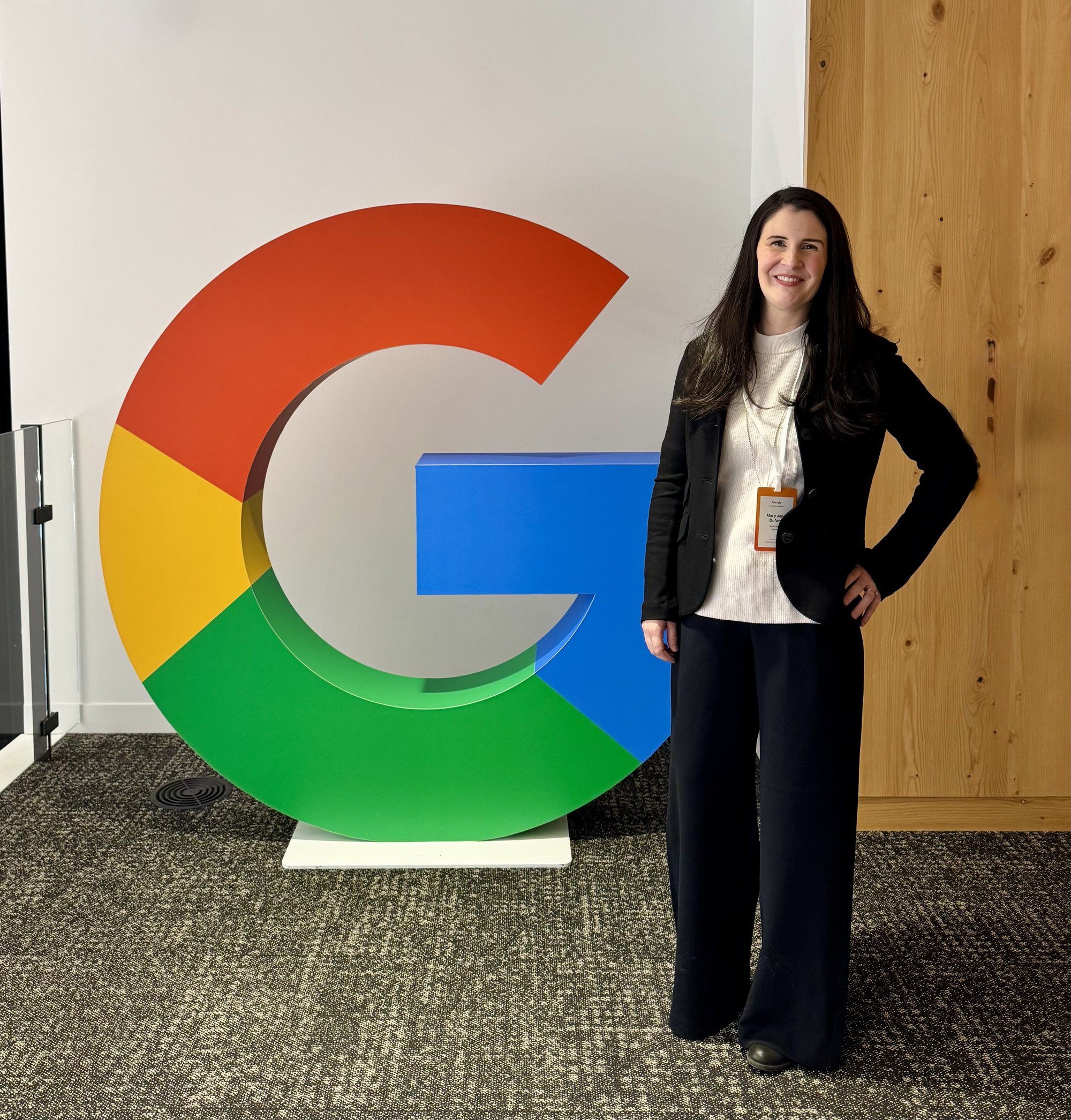
    Mary Jane Duford at Google Canada Headquarters in Toronto Ontario

    What this means for Duford Digital clients

    At Duford Digital, I build and improve websites for businesses that need to look as established, trustworthy, and easy to work with on the internet as they are in-person in their local areas. I care about structure. Usability. Search visibility. Local credibility. Maintenance. The everyday details that help a site pull its weight.

    The Google Canada Business Summit reinforced that this is the right work. Strong websites are still central. Speed, clarity, and completeness increasingly matter. AI can support a business, but not rescue a weak foundation. And businesses who learn and adapt will have an edge.

    That is exactly the kind of edge I want to help my clients build. An edge built on clarity, trust, and smart digital systems.

    My view on where this is going next

    I think the next phase of web strategy in Canada will be shaped by three things.

    First, AI-assisted search will keep changing how people ask questions and evaluate businesses. Google’s public positioning already points in that direction, with AI layered into search and business tools. 

    Second, businesses will need stronger source material. Thin pages will struggle. Vague pages will struggle. Generic pages will struggle. The businesses that explain their work clearly and publish useful, well-structured information will be easier to trust and easier to surface.

    Third, the winners will use AI as a helper, not as a substitute for judgment. Google’s own small business AI guidance focuses on efficiency, customer connection, and growth, not replacing the owner’s thinking. Human taste becomes a differentiator.

    Final thoughts

    I came home from the Google Canada Business Summit energized. Not because I think every shiny new tool deserves attention. Because I think the businesses that get the basics right are about to benefit even more.

    The future of digital marketing is not about doing everything. It is about doing the right things clearly.

    That means a strong website and credible digital presence. You’ll need useful content and strong systems that support your digital work. Thoughtful use of AI and a willingness to keep learning will be key.

    I am grateful I got to be in the room.

    And I am even more grateful to bring those lessons back to the businesses I serve.

    Source note

    This article is based on my firsthand attendance at the Google Canada Business Summit in Toronto on February 25 and 26, 2026, along with my event materials, notes, and official Google Canada public resources on AI, training, and economic impact in Canada. 

  • What is a domain for a website?

    What is a domain for a website?

    A domain name is the name people use to find a website online. Your domain name is the web address typed into a browser, such as example.com or yourbusiness.ca.

    Behind the scenes, every website is connected to a technical address called an IP address. IP addresses are made up of numbers, and they are not easy for most people to remember. A domain name gives that website a clear, text-based name that people can read, type, and share.

    A domain is not the website itself. It is only the address. The website is the actual content visitors see, such as the pages, images, text, and links. That content is stored on a server, which is separate from the domain name.

    When someone types a domain name into a browser, the Domain Name System, or DNS, helps direct that request to the correct server where the website is hosted. Domain names are registered through companies called domain registrars.

    Domain names for websites

    A website domain, also called a domain name, is the public name in text that points people to your website. It gives your business, blog, or organization a clear home online. It should be easy to remember and representative of your business.

    A domain name usually has at least two parts separated by a dot, such as google.com or duforddigital.com. The part before the dot is the name you register, while the part after the dot is the top-level domain, such as .com, .org, or .ca.

    Why domains exist

    Domains exist because computer addresses are hard to use. Every device connected to the internet has an IP address, which is a string of numbers or letters and numbers. Most people do not want to remember that.

    A domain gives that address a readable label made of text. Instead of typing a long number, a visitor types a short name. The Domain Name System (DNS) then matches the name to the right IP address and sends the visitor to the correct website.

    What a domain looks like

    A domain often has two main parts.

    • The first part is the text name itself, such as duforddigital.
    • The second part is the ending, such as .com, .ca, or .org.

    Put together, they form a full domain like duforddigital.com. Some websites also use a subdomain, such as blog.example.com. This structure is hierarchical, with pieces separated by dots. In whois.icann.org, for example, org is the top level, icann is the second level, and whois is a lower level.

    Domain vs. website

    A domain is not the same thing as a website.

    • The domain is the address.
    • The website is the content people see when they arrive.

    A good way to think about it is this: the domain is the street address, and the website is the building.

    You can buy a domain without having a website live yet. Many people do that first so they can reserve the name they want. The domain can later be connected to a website, email, or other online services. The registered domain name is then used to provide online systems such as websites and email.

    Domain vs. hosting

    A domain and web hosting are also different.

    • The domain is the name people type in.
    • Hosting is the server space where your website files live.

    You usually need both a domain and server hosting to run a website. Some companies sell them together, but they are separate services. Your domain can point to one server host today and a different host later if you move your site.

    What a domain can be used for

    A domain can do more than open a website. It can also be used for email, landing pages, online stores, and other web tools. For example, a business might use one domain for its main site and also use it to create email addresses like hello@yourbusiness.com.

    Who manages domain names

    Domain names are part of an international system. ICANN helps coordinate the global domain name system and accredits registrars. Registrars are the companies that sell domain registrations to the public. Registries manage specific domain endings like .com or .org.

    When you register a domain, you enter into an agreement with a registrar, and that registrar manages the registration under the rules of the relevant registry and ICANN policies. 

    What it means to “buy” a domain

    You do not usually buy a domain forever. In most cases, you rent the right to use it for a set period, often one year at a time. You must renew it to keep control of it.

    Your registrar handles renewals, transfers, and settings for the domain. The terms of registration, fees, transfers, and renewals are governed by the agreement between the registrant and the registrar.

    What happens after you register a domain

    After you register a domain, you can connect it to your website by changing DNS settings. Those settings tell the internet where to send visitors and where to route email. This is why people often talk about nameservers, DNS records, or pointing a domain.

    The domain itself does not hold the website. It just points to it. The Domain Name System settings you attach to your domain name tell the internet where the website is located. DNS is what links the name to the associated IP address.

    Common domain endings

    The ending on a domain is called a top-level domain, or TLD. Here are some popular choices:

    • .com is common for businesses and general websites.
    • .org is often used by organizations.
    • .ca is often used by Canadian businesses, groups, and people.

    There are many other endings as well. The best one depends on your brand, location, and goals.

    How to choose a good domain

    A good domain is clear, short, and easy to say. It should match your business or brand name as closely as possible. It also helps if it is easy to spell and hard to confuse with another brand.

    Names with hyphens, odd spellings, or extra words are harder to remember. If your business serves Canada, a .ca domain can make sense. If you want broad reach, .com is often the first choice. Some businesses buy both and point them to the same site. Here is some help on choosing .com vs .ca for your primary domain name.

    Why your domain matters

    Your domain shapes first impressions. It affects trust, branding, and how easy it is for people to find you again. A clean domain looks more professional than a long free URL from a site builder. It also gives you control. If you own your domain, you can move your website to a new platform later without changing your web address.

    That control matters for small businesses. Your domain becomes part of your brand. It may appear on business cards, invoices, social profiles, signs, ads, and email.

    Common mistakes people make

    A common mistake is thinking a domain and a website are the same thing. They are connected, but they are different. The domain is the web address people type in, while the website is the pages, images, and content they see after they arrive. That website content is stored on a hosting server.

    Another mistake is buying a domain through a website platform and then forgetting where it is actually managed. That can cause trouble later when it is time to renew the domain, move it to a new provider, or update DNS settings. Common domain registrars include Namecheap, Porkbun, and GoDaddy.

    Letting a domain expire is another big problem. If the renewal is missed, the website can go offline and email tied to that domain can stop working too. It helps to keep a clear record of your domain registrar, login details, renewal date, and billing method. Many people also choose multi-year registration or auto-renew to lower the risk.

    It is also smart to pay attention to the registrar itself. A good registrar has fair renewal pricing, strong account security, simple DNS tools, and clear support. A cheap first-year deal is not always the best long-term option. We can help you choose a reasonable domain registrar if you have questions on this topic.

  • Website design trends for 2026

    Website design trends for 2026

    Website design in 2026 is all about reducing friction. Every extra second of thinking, scrolling, or guessing increases the chance that someone leaves without taking action. In 2026, strong website design focuses on eliminating these moments of delay.

    People visit a plumber, lawyer, accountant, or consultant’s website because they need help. Often they are in a hurry. Sometimes they are stressed. They want reassurance, clarity, and an easy next step.

    Your website needs to do three things well:

    • Help people understand what you do.
    • Help them trust you.
    • Help them take the next step easily.

    The websites that win are not flashy. They are useful. And that is exactly what your customers are looking for.

    Pages open quickly and respond instantly when tapped. Navigation feels obvious without explanation. Important information appears where people expect it, not hidden behind clever layouts or vague language. The site works just as well on a phone as it does on a desktop, because that is where many first impressions now happen.

    Accessibility becomes standard, not optional

    Accessibility is one of the most important forces shaping website design in 2026. This is not only about compliance; it is about usability. Sites designed with accessibility in mind are easier to use for everyone. Buttons are larger. Text is clearer. Forms are simpler. Navigation is more predictable.

    Many customers are older, distracted, or using mobile devices in less-than-ideal conditions. A site that works well for accessibility also works better in real life.

    In 2026, expect to see fewer tiny links, fewer complex interactions, fewer multi-page funnels, and fewer designs that rely on precision or perfect vision. Clear focus states, readable contrast, and obvious actions are becoming baseline expectations.

    Speed shifts from loading to responsiveness

    Speed still matters, but what “fast” means has changed. Users now judge speed by how a site responds after it loads. Menus should open instantly. Buttons should respond immediately. Forms should feel smooth, not laggy.

    For local service websites, this is critical. Many visitors arrive on mobile networks, tap quickly, and leave just as quickly if something feels slow or broken. And what felt like a cool animation five years ago is now irritatingly slow.

    Design trends now favor simpler layouts, fewer scripts, and less third-party clutter. Heavy sliders, complex animations, and unnecessary plugins are quietly disappearing because they hurt interaction quality.

    Motion becomes subtle and purposeful

    Animation has not disappeared, but it has matured. Motion is now used to clarify what is happening, not to try to impress. Small transitions confirm clicks. Gentle fades help users understand changes. Hover states reinforce interactivity.

    For service businesses, this kind of motion improves confidence. When someone clicks to a service page or submits a contact form, immediate visual feedback reduces doubt.

    Overdone animation does the opposite. It slows sites down and makes them feel dated and unreliable. The trend is toward restraint.

    AI appears quietly

    Many websites will include AI-assisted features in 2026, but the design trend is definitely not chatbots pretending to be people. Instead, AI shows up as quiet assistance. Smarter search. Better form autocomplete suggestions. Faster content filtering.

    The safest pattern is AI that supports users without confusing them. Anything that looks like a fake human (hello stock photo chatbot) or vague assistant tends to reduce trust. Clarity beats novelty when it comes to AI on websites.

    Personalization without creepiness

    Personalization is evolving, but cautiously. The design trend favors simple, transparent personalization. Things like remembering preferences, showing relevant services based on context, or adjusting layouts for device type.

    What is fading is heavy behavioral tracking and aggressive targeting. Users are more aware of privacy issues, and regulations continue to tighten.

    In 2026, personalization that feels helpful survives. Anything that feels invasive does not. You do not need advanced personalization to convert customers. You need relevance and clarity.

    A return to human tone and texture

    As AI-generated content and visuals flood the web, businesses are succeeding by leaning into human signals. Designs feel warmer. Copy sounds more natural. Imagery is less generic. Brands look like people again.

    Real businesses with real expertise can differentiate simply by being honest and specific. Overly polished, generic sites feel suspicious. Clear, human websites feel trustworthy. Get great photos of you and your team and display them proudly.

    Lightweight immersive visuals, used sparingly

    You will see more immersive design elements in 2026, but they are used selectively. This includes subtle depth, restrained parallax, or lightweight 3D elements. The key word is lightweight.

    Immersive visuals should never interfere with understanding. They work best as accents, not foundations. A strong message always comes first. The trend is not toward spectacle. It is toward refinement.

    Clear structure beats clever layout

    Overall structure is one of the most important design trends for 2026. Pages are built around real questions. What do you do. Who is this for. How does it work. What does it cost. What happens next.

    This structure directly affects leads. When people find answers quickly, they move forward. When they have to hunt, they leave. Good design supports this structure instead of obscuring it. Clear sections. Predictable layouts. Obvious next steps.

    Trust is designed into every section

    Trust is not a separate page anymore.

    In 2026, trust signals appear throughout the site. Credentials near calls to action. Plain language instead of marketing claims. Real proof placed where decisions happen.

    Trust often matters more than price or design style. People want to know they are choosing someone competent and reliable. Websites now reflect that reality in how they are laid out and written.

    Websites feel finished and maintained

    One subtle but powerful trend stands out: the best websites in 2026 feel cared for.

    Spacing is consistent. Buttons match. Content is current. Nothing feels abandoned or half-done.

    This matters deeply. A website that looks maintained suggests a business that pays attention. In contrast, even small signs of neglect can raise doubts.

  • Digital Visibility Optimization

    Digital Visibility Optimization

    Digital visibility optimization: What it is and why most websites fail without it

    Most business websites do not fail because of bad design. They fail because machines do not understand them.

    Digital visibility optimization is the work of making a website legible to search engines, AI systems, and discovery platforms. It clearly states who you are, what you do, where you operate, and why your business is relevant when someone looks for your services.

    Most business owners believe their website already does this. The information feels obvious because they live inside the business every day. The context feels built in.

    The clarity gap 

    For first-time visitors however, business websites often do not answer the most basic of questions. A frightening majority of sites rely on visuals, short phrases, or industry language that never fully provides initial context. What services are offered. Who they are for. Where the business actually operates.

    Machines are even less forgiving. Search engines and artificial intelligence systems do not assume meaning. They do not guess intent. They look for direct, explicit signals. If services, locations, and roles are not clearly stated in plain language and structured formats, machines cannot connect the dots.

    The result is a site that feels complete to its owner but reads as vague or incomplete to both humans and the systems that decide what gets shown. This is why business owners are often confused when their website does not appear in search results, chat tools, or voice responses, even though the site looks polished. A machine is not going to send thousands of humans to a website it doesn’t understand or trust.

    Most of the work required to address the clarity gap happens behind the scenes. Visitors rarely notice it. But without it, even a beautiful website can remain invisible. This is often the most frustrating moment for business owners who invest thousands in a polished website design, only to see little to no traffic and no clear path to being found online

    Not doing digital visibility optimization is like paying for a beautiful storefront sign and leaving it face down in the loading dock. The sign exists, but no one passing by can see it. The design may be perfect, but without a foundation, placement, and structure, it never does the job it was meant to do.

    This article explains what digital visibility optimization is, how modern search and discovery actually work, why this foundation matters, and why it must come before any other SEO or marketing effort.

    Visibility comes before traffic

    Search engines cannot rank what they do not understand.

    When someone searches for a service, search engines try to match that search to a page with a clear purpose. If a site sends mixed signals, the engine hesitates. If the site lacks structure, the engine guesses. If the engine guesses, the site usually loses.

    Digital visibility optimization removes guesswork for online systems. It creates a clear map of your business for machines. That map helps search engines and artificial intelligence systems decide where and when your site should appear.

    Traffic comes later. Visibility in searches comes first.

    “Not doing digital visibility optimization is like paying for a beautiful storefront sign and leaving it face down in the loading dock. The sign exists, but no one driving by can see it.”

    – MJ Duford

    What search engines actually look for

    Search engines do not read websites like humans do. They do not admire design. They do not infer meaning. They rely on signals.

    Those signals include:

    • Clear page purpose
    • Consistent language
    • Defined services
    • Defined locations
    • Internal links between related pages
    • Clean URLs
    • Accurate metadata
    • Structured data that confirms facts

    When these signals align, search engines gain confidence. Confidence leads to visibility.

    Most websites fail because these signals conflict or do not exist at all.

    Why most business websites struggle to rank

    Many business sites are built with one main services page and very broad language. The business owner knows what they do, but the site does not spell it out in a way machines can verify.

    Common problems include:

    • One page trying to represent many services
    • Location mentioned inconsistently or vaguely
    • Pages written for aesthetics rather than clarity
    • Missing or incorrect schema markup
    • Duplicate URLs and broken links
    • No clear relationship between pages

    Search engines do not reward ambiguity. They reward precision.

    Digital visibility optimization is not traditional SEO

    Traditional SEO often focuses on tactics. Keywords. Ranking tables. Monthly reports. Digital visibility optimization focuses on the underlying structure.

    It ensures that machines can easily surface answers the most foundational questions about your business, including:

    • What services do you offer
    • Which services matter most
    • Where do you offer them
    • How do those services relate to each other
    • Which page should rank for which search

    Once those answers are deeply embedded into the site, SEO becomes possible. Without them, SEO efforts float without anchor. This is why many businesses spend money on SEO for years without results. The digital foundation was never built.

    Pages exist to answer specific searches

    Search engines prefer pages with a single job. A page about tree pruning in a specific city should exist for that purpose alone. A page about remote garden design consultation services should exist separately. A page about weekly grounds maintenance for commercial clients should stand on its own.

    Paradoxically, more pages does not mean the site becomes cluttered.

    Many of these pages do not appear in the main navigation. They act as entry points. Quiet doors. When someone searches for a specific service, they land on the page that matches their intent exactly.

    From a visitor perspective, the site still feels minimal. From a search engine perspective, the site becomes clear.

    Why more pages can mean a cleaner site

    Minimal visual design does not require minimal site structure. A site can look clean and simple while containing many well organized pages beneath the surface. This is common on sites that rank well.

    Digital visibility optimization separates presentation from structure. The user sees calm simplicity. The machine sees detailed organization.

    That balance is what allows a site to scale without losing clarity.

    The role of schema markup

    Schema markup is structured data added to a site to confirm facts.

    It tells search engine crawlers things like:

    • This is a business
    • This is a person
    • This is a service
    • This is an address
    • This is the area served

    Schema does not guarantee rankings. But it removes doubt for the machines that decide which websites to show to humans.

    When schema matches the visible content on the page, search engines trust the information more quickly. This is especially important for local services and professional expertise.

    Location clarity matters more than keywords

    Search engines need to understand where a business operates.

    This does not mean repeating a city name endlessly. It means being consistent with your address or service area across the internet.

    A primary location should be clearly defined. Travel or remote availability should be clearly stated. This information should match across pages, schema, and business profiles on various platforms.

    Inconsistent location signals confuse machines. Clear location signals support local and regional visibility.

    Why this work compounds over time

    Digital visibility optimization is not a campaign. It is infrastructure.

    Once the structure is in place:

    • New pages fit naturally
    • Content additions strengthen existing signals
    • Reviews reinforce credibility
    • Links amplify authority

    The site becomes easier to understand with time instead of harder. This is why the work is done once and then maintained lightly. It is not something that needs constant rebuilding.

    What business owners should expect after this work

    Search engines take time to respond. Visibility does not spike overnight. A digital system is not going to show a website it doesn’t understand and trust to thousands of people.

    What usually happens first is indexing. Pages begin to appear low in the results for new searches. Impressions increase. Rankings fluctuate. This phase means the site is being evaluated.

    Over time, as consistency holds and signals strengthen, rankings stabilize and improve. This is normal behavior. It is how search systems test trust.

    Why this matters now more than ever

    Search engines no longer serve only humans. They feed AI systems, assistants, and recommendation engines.

    Those systems rely even more heavily on structured understanding. They reward clarity. They penalize confusion.

    Digital visibility optimization prepares a site not just for today’s search results, but for how information is interpreted and reused across the internet.

    The bottom line

    If search engines do not understand your business, they cannot recommend it. Digital visibility optimization fixes that problem.

    It does not change how your site looks. It changes how your site is understood. And understanding is what makes visibility possible.

  • Your annual DIY website check-up

    Your annual DIY website check-up

    Before you set goals for this next year, take five quiet minutes and look at your website with fresh eyes.

    Not as the owner.
    Not as the person who built it.

    As someone who has never seen your business before.

    In 2026, websites are less about design trends and more about removing friction. It’s time to find exactly where friction exists on your site, and where it is quietly costing you opportunities.

    You do not need a perfect website

    You need an honest one. Does your website reflects who you are now? Does your website answer the questions that seem obvious to you?

    If answering these questions made you uncomfortable, that is a good thing. It means you see the gap. And once you see it, you can fix it. Here are the questions to ask yourself when doing your annual website review.

    Does my homepage clearly say who we are and what we do?

      If someone lands on your homepage for the first time, can they tell within five seconds what your business actually does?

      Not what industry you are in.
      Not what values you hold.

      What problem you solve. In big, bold, letters (ideally formatted as a heading).

      Many websites open with vague language, clever phrases, or broad claims. They sound nice but require interpretation. In 2026, that hesitation is friction. Viewers need immediate context to ground them.

      Your homepage should answer three questions immediately:

      1. Who is this for.
      2. What do they do.
      3. What should I do next.

      If a stranger would have to scroll, guess, or read between the lines, clarity is missing.

      Does this website reflect the business I run today?

        Not the business you started. The business you run now.

        Businesses evolve faster than websites. Services change. Clients change. Positioning shifts. But websites often stay frozen in time.

        A website that reflects an earlier version of your business creates a subtle disconnect. Prospects sense it even if they cannot name it.

        In 2026, alignment matters. Your website should match your current expertise, your current offerings, and the level you now operate at. If it undersells you or misrepresents you, it adds friction instead of confidence.

        Are there services listed that we no longer offer?

          Outdated services create confusion. They make visitors wonder what is still relevant. They raise questions instead of answering them. They make your business feel disorganized, even if it is not.

          Many local service and professional websites quietly accumulate old offerings over time. Nothing ever gets removed. Pages grow longer, not clearer.

          On a modern website, fewer services presented well perform better than many services presented poorly. If you no longer offer something, remove it. Clarity builds trust faster than completeness.

          Would I be proud to send this website to my biggest prospect?

            This is the gut-check question. If your ideal big-ticket client asked for your website link today, would you send it confidently? Or would you hesitate, explain, or promise that you are planning to update it soon?

            That hesitation is information.

            A website does not need to be flashy. It needs to feel finished, accurate, and representative of your work. If you would rather explain your business than send your site, your website is creating friction instead of removing it.

            Is the site easy to use on a phone?

              Most people will visit your website on a phone.

              Often while distracted.
              Often while multitasking.
              Often while deciding quickly.

              Pull out your phone and search for your site. Click through as if you were an ideal customer.

              Text should be readable without zooming. Buttons should be easy to tap. Navigation should be obvious. If anything feels frustrating on mobile, visitors rarely try again.

              Mobile usability is not about shrinking a desktop site. It is about designing for thumbs, short attention spans, and small screens. Mobile friction is silent but expensive.

              Is the information accurate and up to date?

                Trust erodes quietly.

                Old photos.
                Outdated bios.
                Messaging that no longer fits.
                References to years that have passed.

                None of these alone destroy credibility. Together, they raise doubts. And not only for humans. The robots who decide which sites go at the top of search results also need consistency. Get that updated postal code not only written in your footer for humans, but also added to your invisible (but oh-so-important) schema markup.

                People are now getting very good at sensing when something feels off on a site. They may not know why, but they notice. An outdated website suggests inattention, even if the business itself is excellent. Keeping information current is one of the simplest ways to reduce friction and increase trust.

                Does this website make it easy to take the next step?

                  After someone understands your business and trusts you enough to continue, what happens next?

                  • Is it obvious how to contact you?
                  • Is there a clear call to action?
                  • Does the site guide them forward?

                  Good websites do not make visitors guess. They offer clear options and respectful guidance. Contact forms are simple. Buttons stand out. Next steps feel natural.

                  When the path forward is unclear, hesitation creeps in. That hesitation is friction.